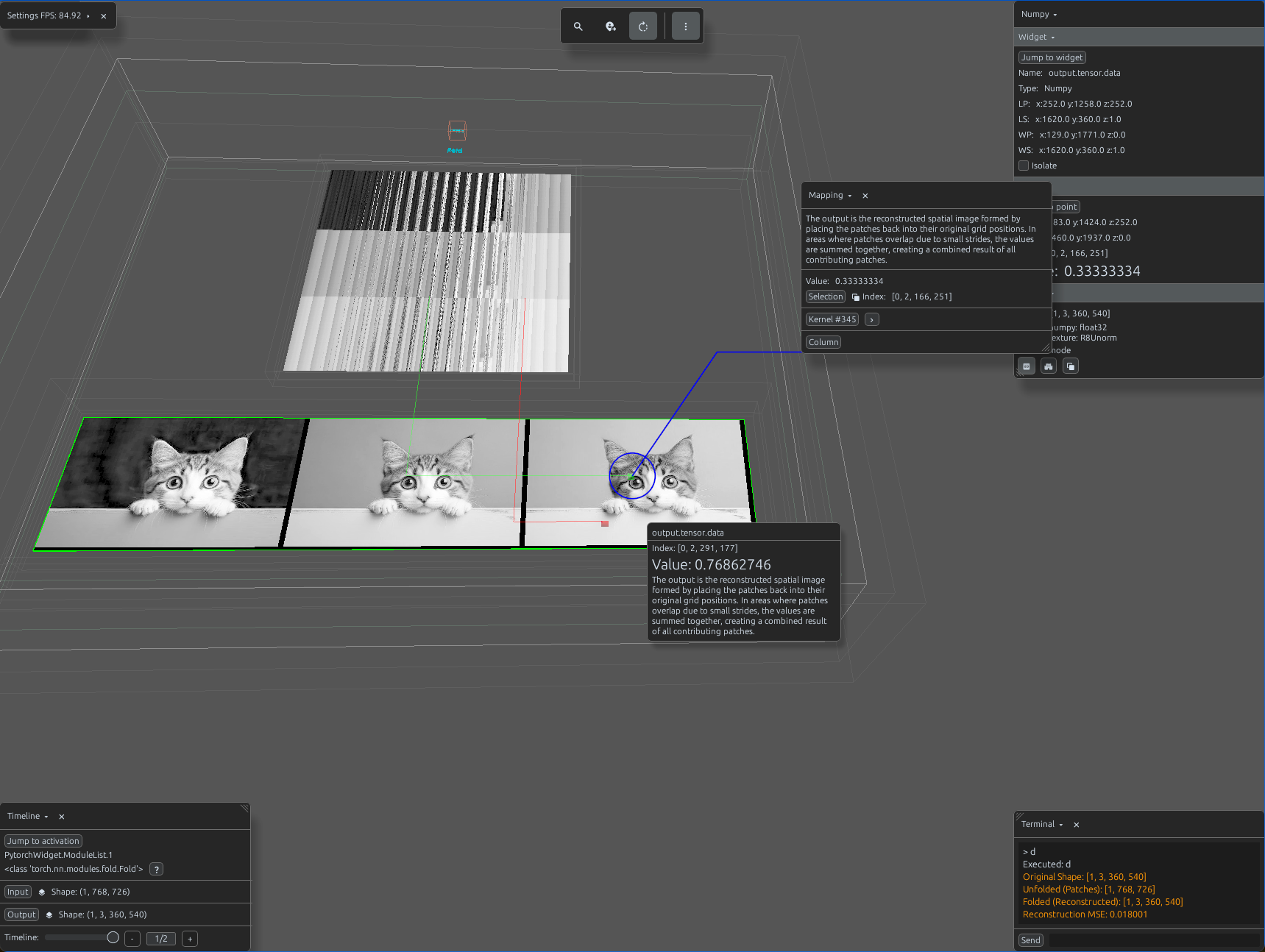
fold_demo.py
import svetoviz_webgpu as sv

# 1. Prepare Parameters
kernel_size = 16
stride = 16

# 2. Define Modules
unfold = nn.Unfold(kernel_size=kernel_size, stride=stride)
fold = nn.Fold(output_size=(128, 128), kernel_size=kernel_size, stride=stride)

# Pack in ModuleList
container = nn.ModuleList([unfold, fold])

def terminal_callback(buffer, message, images, files):
    # Step A: Unfold the image into patches
    # Input (1, 3, 128, 128) -> Output (1, 3*16*16, 64)
    patches = unfold(input_tensor)

    # Step B: Fold the patches back into the original image shape
    reconstructed = fold(patches)

    buffer.send_system_message(f"Original Shape: {list(input_tensor.shape)}")
    buffer.send_system_message(f"Unfolded (Patches): {list(patches.shape)}")
    buffer.send_system_message(f"Folded (Reconstructed): {list(reconstructed.shape)}")

    # Verify reconstruction integrity
    mse = torch.mean((input_tensor - reconstructed) ** 2)
    buffer.send_system_message(f"Reconstruction MSE: {mse.item():.6f}")

# 4. Start the interactive session
sv.pytorch_web(module=container, terminal_callback=terminal_callback)