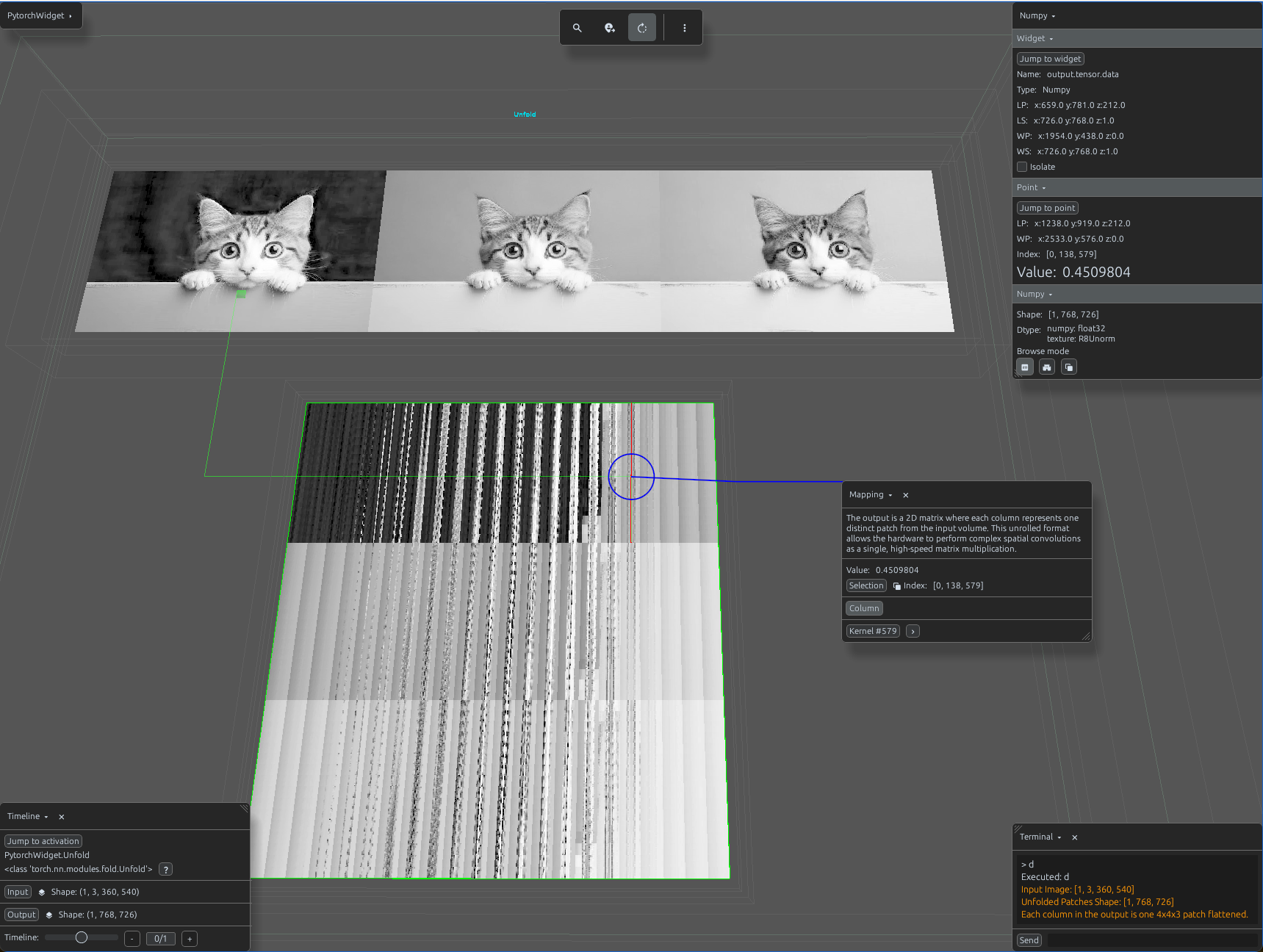
unfold_demo.py
import svetoviz_webgpu as sv

# 1. Prepare 2D image data (e.g., 128x128)
img = Image.open("sample_image.jpg").convert("RGB")
img_np = np.array(img).astype(np.float32) / 255.0
# Shape: (1, 3, 128, 128)
input_tensor = torch.from_numpy(img_np).permute(2, 0, 1).unsqueeze(0)

# 2. Define Unfold
# We extract 4x4 patches with a stride of 4 (non-overlapping blocks)
unfold = nn.Unfold(kernel_size=4, stride=4)

def terminal_callback(buffer, message, images, files):
    # The output shape will be (Batch, C * kernel_h * kernel_w, L)
    # where L is the total number of patches.
    output = unfold(input_tensor)

    buffer.send_system_message(f"Input Image: {list(input_tensor.shape)}")
    buffer.send_system_message(f"Unfolded Patches Shape: {list(output.shape)}")
    buffer.send_system_message("Each column in the output is one 4x4x3 patch flattened.")

# 4. Start the interactive session
sv.pytorch_web(module=unfold, terminal_callback=terminal_callback)